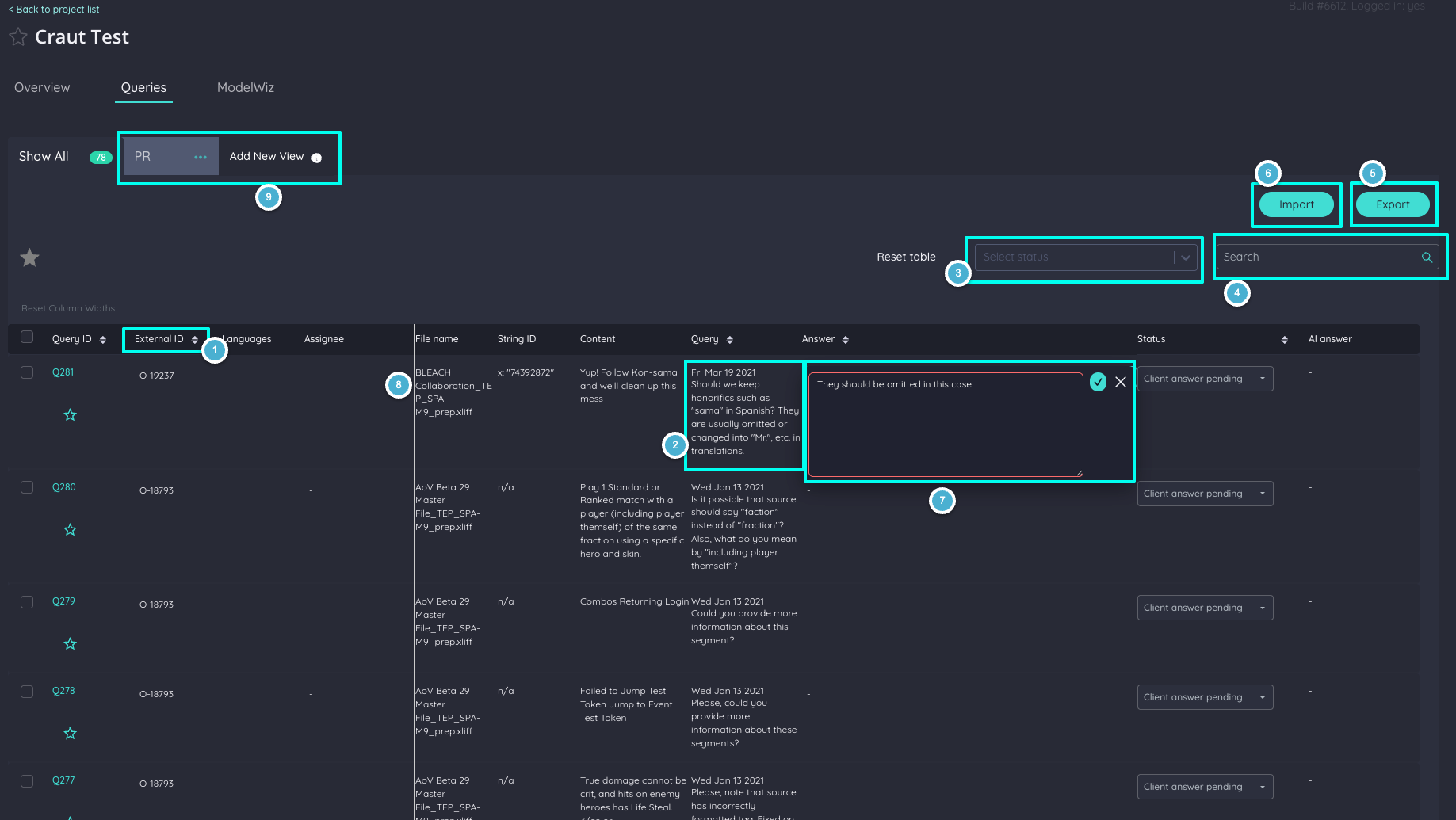
On the queries list, you can view queries sorted by newest to oldest (1) and view the most important query information at a glance. You can also expand cells to see the full content (2).
You can filter by status (3) or make a specific search (4). You also have the option to export (5) queries in case you want to answer them offline, and import them with one click (6).
You can edit answers directly in the table (7) without needing to open the query detail page, and drag column resize handles (8) to adjust column widths to your preference.
You can also organize your queries into custom Views (9) — click Add New View to create a view and filter queries by any criteria that matters to your workflow.